TrendTrack Review – Is It Worth It for eCom Store Owners?
If you run an eCommerce store, you already know how quickly things can change.
A product that looks like a winner today can be completely dead three months later. An ad that was crushing it last week can suddenly stop converting. And while you’re trying to figure out what to sell next, your competitors are quietly testing new products, creatives, landing pages, and offers.
I’ve spent enough time around eCommerce to know that guessing is one of the most expensive ways to run a store.
That’s why tools like TrendTrack caught my attention.
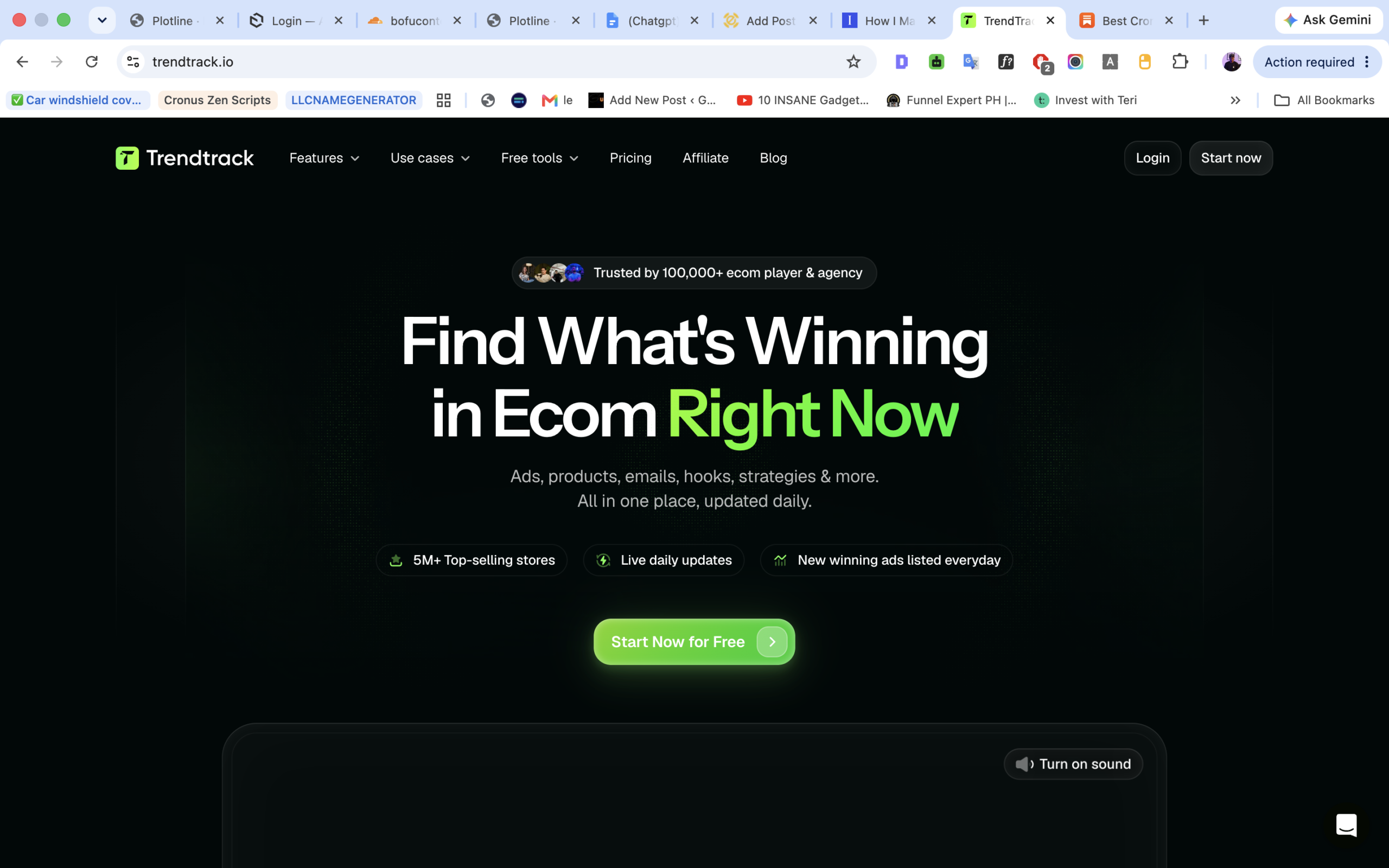
TrendTrack is an eCommerce intelligence tool that lets you research stores, products, ads, competitors, traffic, and marketing strategies from one place.
But there are plenty of eCommerce spy and product research tools out there.
So the real question is:
Is TrendTrack actually worth paying for, or is it just another dashboard full of numbers that looks impressive but doesn’t help you make better decisions?
I took a close look at what TrendTrack offers, how I would actually use it, what I like about it, where I think it falls short, and who I believe should pay for it.
Here’s my honest TrendTrack review.
What Is TrendTrack?
TrendTrack is basically an eCommerce research and competitive intelligence platform.
In simple terms, it helps me look at what other online stores are doing and find patterns that I can potentially use in my own business.
I can research stores, look at their products, study their ads, see traffic information, investigate their marketing strategies, and keep an eye on competitors.
The platform currently gives users access to a large database of eCommerce stores and ads, with data updated regularly. TrendTrack says its infrastructure indexes millions of new ads every day.
That’s useful because I don’t want to base a product decision on something that was hot six months ago.
I want to know what is happening now.
And that’s really the main idea behind TrendTrack.
Instead of sitting around trying to come up with the next winning product from scratch, I can look at what successful stores are already doing and use that information to make a more informed decision.
How Does TrendTrack Work?
The easiest way I can explain TrendTrack is this:
It gives me a window into what successful eCommerce stores are doing.
Let’s say I’m interested in the beauty niche.
Instead of searching Google for “best beauty products to sell,” I can go into TrendTrack and search through stores and products.
I can filter stores based on different criteria, look at their products and traffic, investigate their advertising activity, and then dig deeper into the stores that catch my attention.
TrendTrack’s Shops feature is built around a database of more than one million eCommerce stores, with filters for things such as niche, traffic and growth.
Once I find a store that looks interesting, that’s where things get more useful.
I can start looking at:
- Their best-selling products
- Their traffic
- Their ads
- Their advertising history
- Their products
- Their customer feedback
- Their social presence
- Their marketing strategy
So rather than looking at one isolated piece of information, I can start putting the whole picture together.
And that’s what I like about the tool.
TrendTrack Features
There are quite a few features inside TrendTrack, but I don’t think every feature matters equally.
These are the ones I would pay the most attention to.
1. Store Research
This is probably where I would spend most of my time.
TrendTrack lets me search through eCommerce stores and use filters to narrow down the results.
For example, if I’m looking for stores that are growing in a particular niche, I don’t have to manually visit hundreds of websites.
I can use TrendTrack to narrow the list down.
Then I can investigate the stores that look interesting.
This is particularly useful when I’m trying to answer a question like:
“What are successful stores in this market actually doing?”
I can look at the products they’re selling, how much traffic they’re getting, their advertising activity, and other information about the store.
TrendTrack also lets me save interesting stores into folders, which is handy if I’m doing research over several days instead of trying to remember every store I find.
2. Competitor Analysis
This is another big one for me.
If I already have a store, I don’t necessarily need TrendTrack to tell me what product to sell.
I can use it to keep an eye on competitors.
For example, I might find three or four stores that I consider serious competitors.
Instead of manually checking their websites every few days, I can use TrendTrack’s BrandTracker to monitor them.
The platform can track things like advertising activity, email campaigns, traffic trends and product launches, with data refreshed regularly.
That’s much more useful than simply knowing that a competitor exists.
I want to know what they’re actually doing.
If they launch a new product, change their advertising strategy, or suddenly increase their activity, that’s something I want to know about.
3. Ad Research
If you’re running Facebook or Instagram ads, this feature alone could make TrendTrack interesting.
TrendTrack has an ad library where I can search through eCommerce advertisements and investigate what other brands are running.
I can look at different creatives, formats, hooks and campaigns.
This is useful when I’m stuck on advertising ideas.
Instead of opening Meta’s ad library and endlessly scrolling through ads, I can use TrendTrack to narrow down what I’m looking for.
For example, I might want to see ads in a specific niche that have been running for a while.
Why?
Because an ad that has been running for a long time is at least worth investigating.
It doesn’t automatically mean the ad is profitable.
But if a brand keeps spending money on a creative, there may be something worth learning from it.
TrendTrack also provides deeper ad analysis, including information around ad formats, landing pages, hooks and advertising activity.
That can save me a lot of research time.
4. Shop Analytics
This is another feature I think store owners will appreciate.
Instead of simply looking at a Shopify store and guessing how well it’s doing, TrendTrack provides additional information about the store.
I can look at traffic trends, advertising history, products, customer feedback and social media growth.
That helps me answer a much better question:
“Is this store actually worth studying?”
Because let’s be honest.
There are thousands of attractive Shopify stores online.
Some look successful.
That doesn’t necessarily mean they are.
The more information I have before I start copying someone’s strategy, the better.
TrendTrack’s Shop Analytics feature is designed to give me that broader view.
5. Similar Shops
This is a feature I wouldn’t ignore.
Once I find a store that interests me, I can use TrendTrack to discover similar stores.
This is useful because one good store can lead me down a much bigger research rabbit hole.
I might find a store doing well in a particular niche.
Then I can find similar stores.
Then I can compare their products.
Then I can look at their ads.
And eventually, I start seeing patterns.
That’s where the real value of a tool like this comes from.
I’m not looking for one magic product.
I’m looking for patterns.
6. BrandTracker
BrandTracker is probably one of the more useful features for established store owners.
I can select brands I want to monitor and keep track of what they’re doing.
The Pro plan currently allows tracking of up to 30 brands, while Business allows unlimited brands.
If I’m running a store in a competitive niche, this can become part of my regular research routine.
I can keep my main competitors in one place instead of repeatedly searching for them manually.
7. Free Chrome Extension
One thing I particularly like is that TrendTrack also has a free Chrome extension.
I don’t necessarily need to open the main TrendTrack dashboard every time I want to investigate a Shopify store.
The extension lets me analyze a Shopify store directly from my browser, including information about traffic, apps, fonts, products and advertising activity.
That’s convenient.
If I’m browsing the web and come across a store I’ve never seen before, I can investigate it immediately.
This is one of those small things that can make a research tool much easier to use regularly.
What I Like About TrendTrack
After looking through the platform, there are several things that stand out to me.
It Puts a Lot of Research in One Place
This is probably my biggest positive.
Normally, I’d have to jump between different tools to research stores, traffic, products and ads.
TrendTrack tries to bring those things together.
That doesn’t mean it will completely replace every other tool I use.
But it can reduce the number of tabs and subscriptions I need.
And that’s valuable.
The Store Database Is Huge
The amount of stores available is another major advantage.
TrendTrack says it tracks millions of eCommerce stores, while its dedicated Shops feature provides access to more than one million stores for research.
Having that much data means I don’t have to rely on the same handful of stores everyone else is researching.
I can dig deeper.
Daily Data Updates
This is important in eCommerce.
Old information isn’t nearly as useful when you’re trying to identify trends.
TrendTrack says its store, ad and other market data is updated regularly, with many datasets refreshed every 24 hours.
That doesn’t mean every number should be treated as gospel.
Traffic and sales estimates from third-party tools are still estimates.
But having frequently updated information is much better than relying on an outdated snapshot.
The Chrome Extension Is Useful
I like the idea of being able to investigate a store while I’m already browsing.
It removes a little friction from the research process.
And when you’re researching dozens of stores, those little conveniences add up.
What I Don’t Like About TrendTrack
Now let’s talk about the other side.
Because I don’t think TrendTrack is perfect.
It Isn’t Cheap
This is probably the biggest issue for beginners.
The current monthly pricing is:
- Starter – $59/month
- Pro – $89/month
- Business – $149/month
Annual billing reduces the effective monthly price.
$59 a month isn’t a small expense if I’m just starting my first store and haven’t made a single sale.
If I’m a complete beginner with a very limited budget, I’d be careful about adding another monthly subscription.
I would first make sure I’m actually going to use the tool.
The Data Doesn’t Make Decisions for Me
This is something I think people need to understand before buying.
TrendTrack can show me what competitors are doing.
It can show me products, ads, stores and trends.
But it doesn’t magically tell me:
“Buy this product and you’ll make $10,000 next month.”
No tool can honestly guarantee that.
I still have to evaluate the product.
I still need to consider margins.
I need to think about shipping.
I need to understand the market.
I need to create a good offer.
And I need to know how to advertise.
TrendTrack gives me information.
What I do with that information is still up to me.
There Can Be Too Much Information
This is the other side of having so much data.
If I don’t have a research process, I can easily waste hours jumping from one store to another.
“That’s interesting.”
“Oh, this product is interesting.”
“Wait, this store is growing.”
“Let me check their ads.”
And suddenly two hours have disappeared.
So I wouldn’t recommend opening TrendTrack and just browsing randomly.
I’d go in with a specific question.
For example:
“I want to find three growing stores in the pet niche that are actively advertising.”
That’s a much better way to use the platform.
TrendTrack Pricing
As of my latest check, TrendTrack has three main plans.
Starter – $59/month
The Starter plan is aimed at people who mainly want to research stores and get started with competitive intelligence.
It includes unlimited shop exploration, smart segments, advanced filters and shop analytics.
It also includes limited BrandTracker and other usage allowances.
For someone who mainly wants to research products and stores, this is probably where I’d start.
Pro – $89/month
The Pro plan is where TrendTrack becomes much more interesting.
It adds broader access to the ad library, EU and UK ad reach/spend information, BrandTracker for up to 30 brands and additional research capabilities.
If I’m actively running ads and researching competitors every week, this is probably the plan I’d consider.
Business – $149/month
This is aimed more at teams, agencies and businesses that need significantly higher usage.
It includes unlimited BrandTracker tracking and expanded access to features and usage.
I wouldn’t recommend this plan to the average beginner.
You need to be doing enough research to justify it.
Is TrendTrack Worth It?
This is the part that really matters.
For me, yes — but it depends on where you are in your eCommerce journey.
If I’m brand new to eCommerce, have $200 in my bank account and haven’t even launched a store yet, I wouldn’t rush out and buy a $59/month research tool.
I’d use the free tools first and learn the basics.
But if I’m already running a store, testing products, spending money on ads, or regularly researching competitors, I can see much more value in TrendTrack.
Think about it this way.
If TrendTrack helps me avoid wasting $300 on a bad product test, I’ve already covered several months of the subscription.
If it helps me identify a better product, find a useful advertising angle, or understand why a competitor is growing, the value can become even greater.
That’s how I would look at the price.
Not:
“Is $59 expensive?”
But:
“Will I actually use this information to make better decisions?”
If the answer is yes, the price becomes much easier to justify.
Who Should Use TrendTrack?
I think TrendTrack makes the most sense for:
eCommerce store owners
If I’m already selling online, I can use TrendTrack to monitor competitors, research products and study advertising strategies.
Dropshippers
Product research is one of the biggest areas where a tool like this can help.
Instead of blindly scrolling through product lists, I can research stores that are already getting traction.
Media buyers
If I’m responsible for running paid ads, the ad research features can be particularly useful.
I can study creatives, hooks, formats and competitor campaigns.
DTC brands
Established brands can use TrendTrack for competitive intelligence rather than just product hunting.
I can keep an eye on competitors and watch how their strategies change.
Freelancers and agencies
If I’m managing several clients, having store and competitor research in one platform could save a considerable amount of time.
Who Shouldn’t Use TrendTrack?
I wouldn’t recommend it to everyone.
If I’m still learning what Shopify is, I don’t need it yet.
If I haven’t chosen a niche, don’t understand basic marketing and have no idea how to evaluate a product, TrendTrack won’t fix those problems.
And if I only plan to spend 30 minutes a month doing competitor research, I’d probably struggle to justify the subscription.
The tool becomes more valuable as my eCommerce activity increases.
My Final Verdict
After looking at what TrendTrack offers, I think it is one of the more interesting eCommerce research tools available right now.
The biggest advantage isn’t one individual feature.
It’s the combination.
I can research stores.
I can find products.
I can investigate competitors.
I can study ads.
I can analyze store performance.
I can monitor brands.
And I can do a lot of that without constantly switching between different platforms.
The free Chrome extension is also a nice bonus because it makes quick store research much easier.
There are still things I would keep in mind.
It’s not cheap for a beginner.
The data isn’t a substitute for common sense.
And having access to a huge amount of information can actually become a problem if I don’t have a clear research process.
But if I’m serious about eCommerce and I’m already spending money on products and advertising, I think TrendTrack is worth trying.
The current pricing starts at $59/month, with Pro at $89/month and Business at $149/month, and TrendTrack also offers a free starting option for users who want to explore the platform.
My Rating: 8.5/10
Ease of use: 9/10
Store research: 9/10
Competitor research: 9/10
Ad research: 9/10
Value for beginners: 7/10
Value for active store owners: 9/10
Overall: 8.5/10
So, is TrendTrack worth it for eCommerce store owners?
I’d say yes, if you’re actually going to use it.
I wouldn’t subscribe just because it sounds like a cool tool.
I’d subscribe if I’m actively researching products, watching competitors, running ads, or trying to understand what’s happening in my market.
That’s when I think TrendTrack can pay for itself.
And if you’re on the fence, I’d start with the free option, spend some time inside the platform, and see whether it fits into the way you research your store.
If it saves me time and helps me make even one or two better decisions, that’s when the monthly fee starts to make a lot more sense.